Matters is a personal attention layer for legal work. Not a case management system. Not a database. A calm, keyboard-driven Mac app that answers one question every morning.
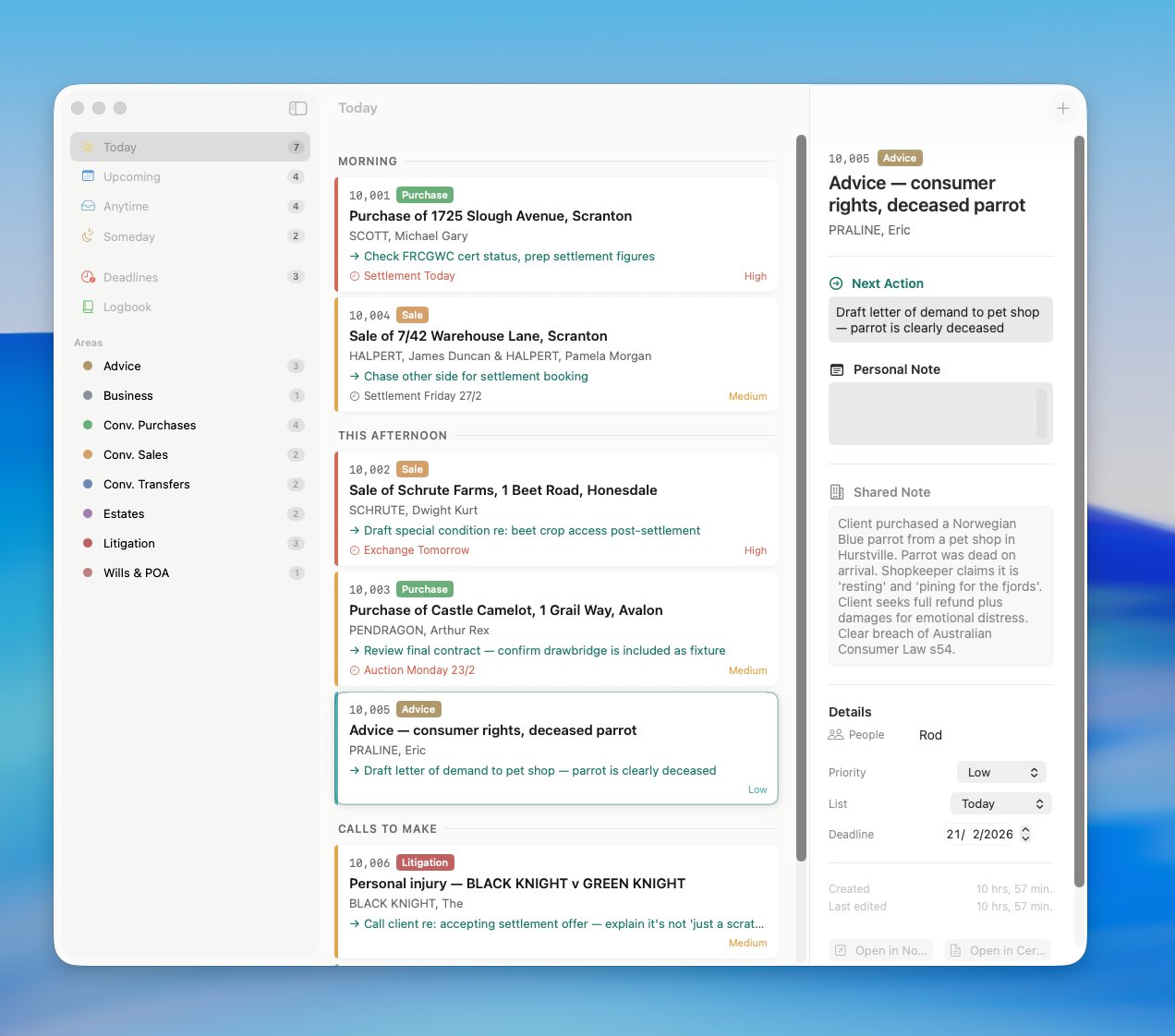
Today view — matters organised by morning headings, with next actions, deadlines, and priority levels
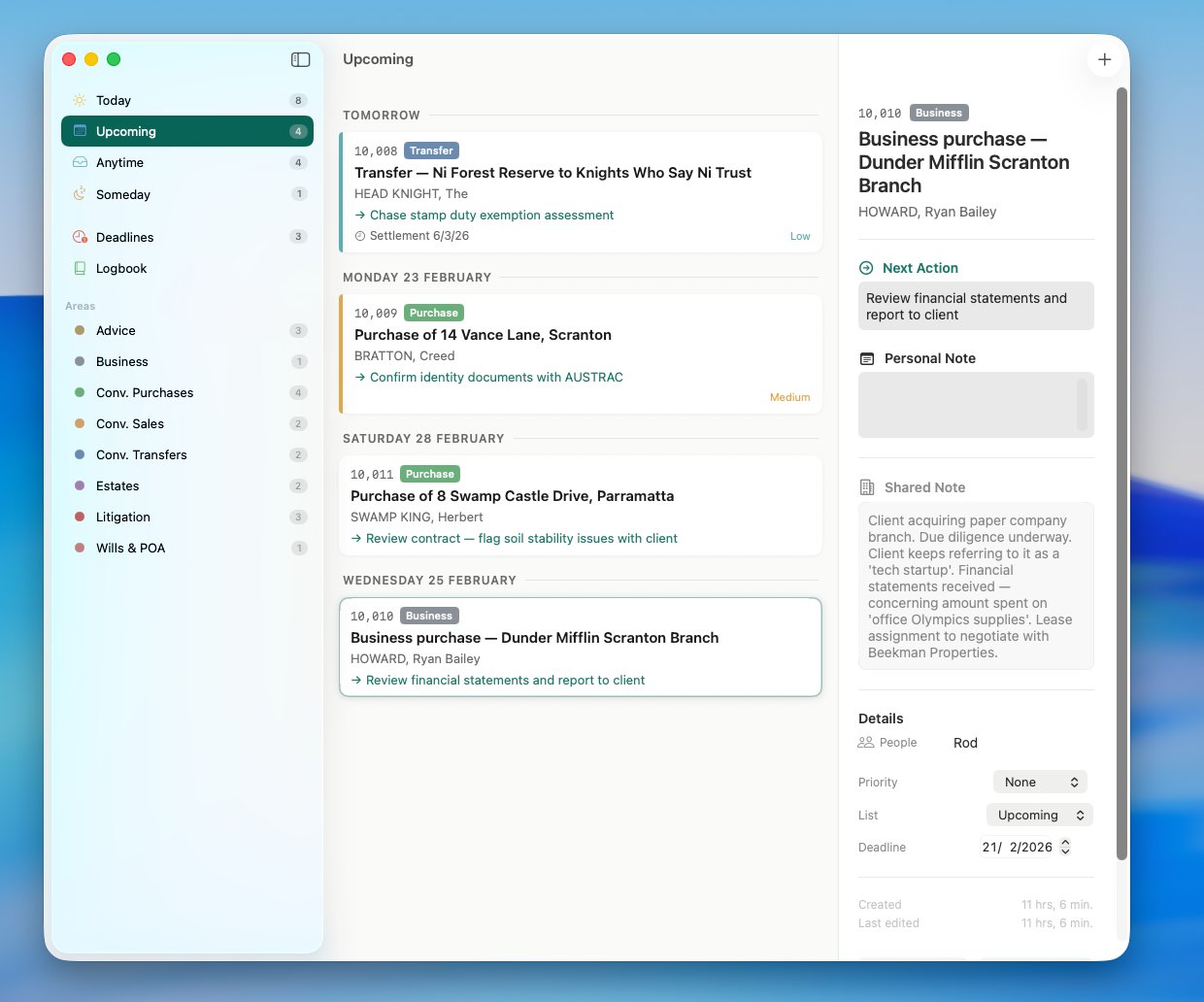
Upcoming — deferred matters grouped by date
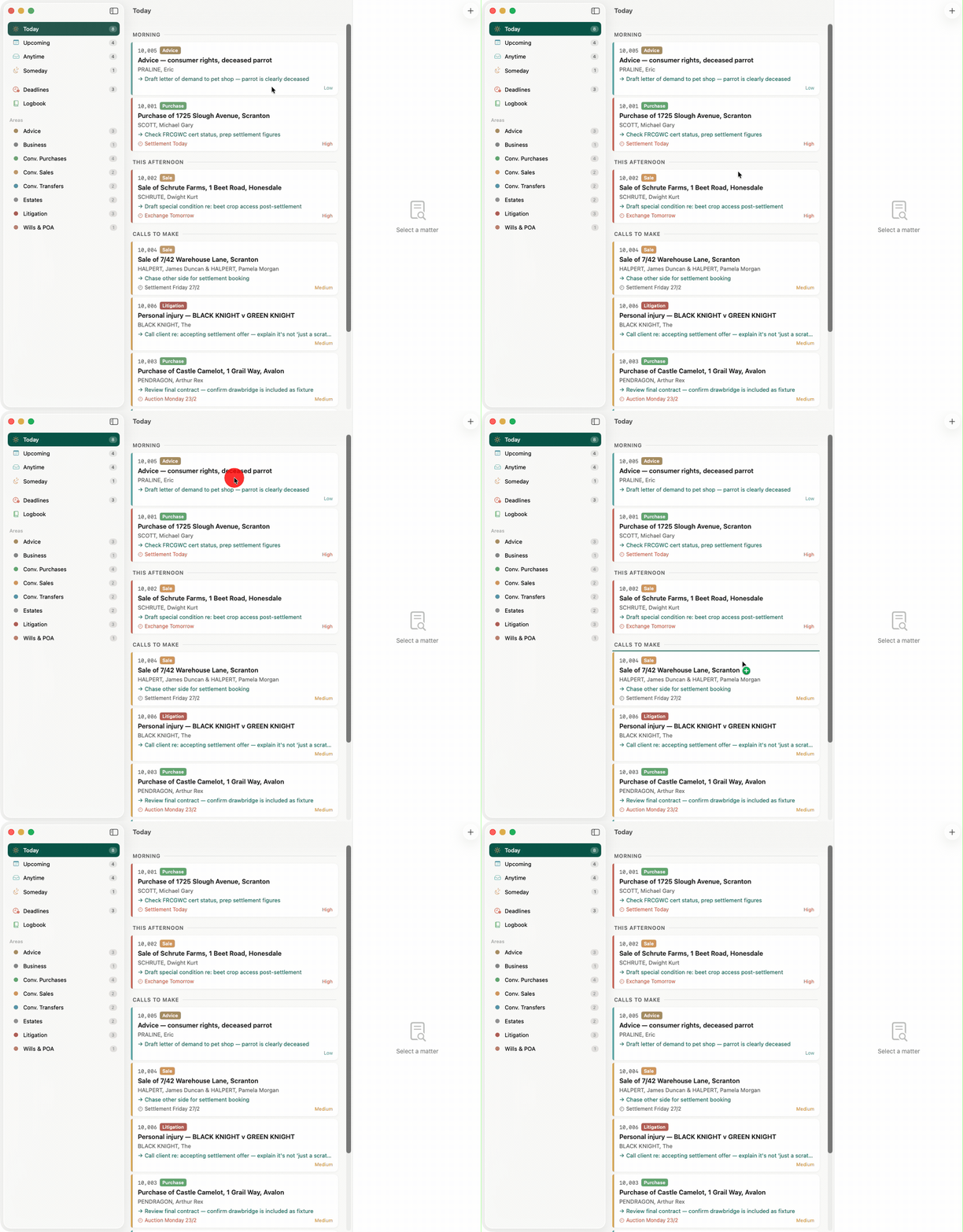
Drag to reorder — the gesture is the decision
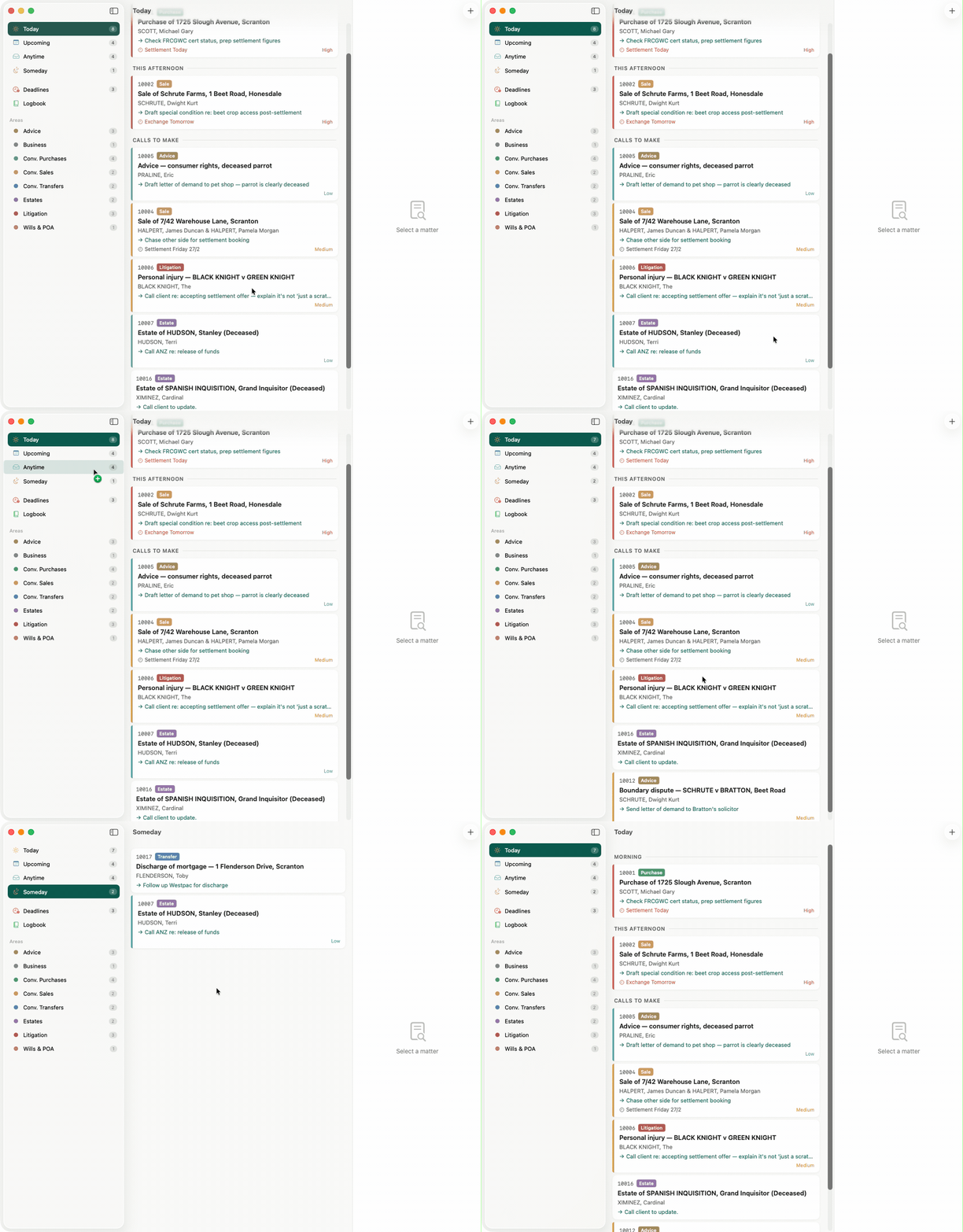
A full day — headings, types, priorities at a glance
Our firm uses Notion as a shared database for tracking legal matters. It works well as a system of record — every matter, every status update, every team member's notes in one place.
But there's a tension. Different people need different views of the same data. My secretary surfaces matters by date — when she sets a future date, the matter hides until then. I prefer seeing everything sorted by recency, so recently-touched matters float to the top.
Neither approach answers the real question: of all my open matters, which ones need my attention today, and in what order?
The question isn't "what are all my matters?" — Notion already answers that. The question is what do I need to engage with today, and in what order? That's a personal question. It deserves a personal tool.
In Things, you complete a task and it's gone. A legal matter persists for weeks. You engage with it today, put it down, pick it up next Tuesday. "Today's engagement" is not "completion."
Notion is the filing cabinet with every drawer open. Matters is a clear desk with a small, deliberate stack of files. It shows what you need to see, when you need to see it, nothing else.
Moving a matter into Today is a commitment. Moving it to Someday is deliberate deferral. These gestures should feel physical and consequential — you've done something.
Matters doesn't replace the firm's database. The team continues in Notion. This is a personal, opinionated lens over shared data — one that reflects how I think about my day.
The app is designed around the rhythm of a solicitor's day. Not abstract productivity theory — the actual cadence of calls, settlements, deadlines, and waiting.
Matters deferred to today have auto-surfaced. A new matter appeared overnight in the Inbox — Mel assigned it to you in Notion. Your Today list has three holdovers from yesterday.
Scan Anytime, drag what needs attention into Today. Check the Deadlines view — two settlements this week. Set your next action on each matter: "Chase OS for transfer," "Review draft contract." You're ready.
Press ⌘K, type the client name, jump straight to the matter. Update the next action. If it wasn't in Today, drag it in. The whole interaction takes three seconds.
In Notion, Mel adds a matter to your Today list — urgent instructions just arrived. Within a minute, it appears in your app. A system notification tells you something changed.
Two matters remain that you didn't get to. Defer one to tomorrow, leave the other — it'll still be in Today in the morning. Swipe to mark the rest as engaged. Tomorrow's a clean start.
Your daily commitment. An ordered list of matters you intend to engage with. Drag to reorder, insert headings to group your day.
⌘1Matters deferred to a specific date. Grouped by day — tomorrow, this week, next week. They auto-surface into Today when the date arrives.
⌘2Active matters with no specific date. Your working inventory. Each morning, scan this and drag what you need into Today.
⌘3Genuinely dormant. Waiting on probate, waiting for property to sell. Out of sight, never lost. A conscious act of deferral.
⌘4Every hard date across all matters — settlements, auctions, exchanges — in one chronological timeline. Your radar screen.
⌘5Finalised matters. A searchable record of completed work. Like closing a file and putting it on the shelf.
⌘6Matters doesn't replace Notion. It reads the firm's data and writes back your personal state — so your secretary can manage your day from the interface she already uses.
Your personal cockpit.
SwiftData for instant response.
The firm's database.
Shared by the whole team.
Matter descriptions, client names, types, shared notes, team assignments, safe custody numbers. The firm's facts, always current. New matters appear in your Inbox for triage.
Your list assignment, position, next action, deferred date, priority. Written to dedicated fields in Notion — Rod List, Rod Position, Rod Next Action — so your secretary sees your state without needing the app.
Notion wins for firm data. The app wins for personal data. Last-write-wins for bidirectional fields. Simple, predictable, and in practice, conflicts almost never happen.
The app works without network. Every drag, every edit is instant against SwiftData. Notion sync runs in the background on a configurable interval. You never wait on the network.
Native macOS interface. Three-column NavigationSplitView. Dark mode, Dynamic Type, VoiceOver — all the platform conventions, respected.
Local persistence with @Model macros. Lightweight migrations. The foundation for instant, offline-capable UI response.
Bidirectional sync via the Notion REST API. Actor-based HTTP client with rate limiting. Debounced outbound writes with retry queue.
Strict concurrency throughout. Actors for network and caching layers. MainActor for UI state. No data races.
Notion integration token stored securely in the macOS Keychain. Never touches disk in plaintext.
System notifications when your secretary changes something in Notion. Click to jump straight to the affected matter.
Nothing exists in a vacuum. These are the tools and ideas that shaped the thinking behind Matters.